

Sending a Test Email
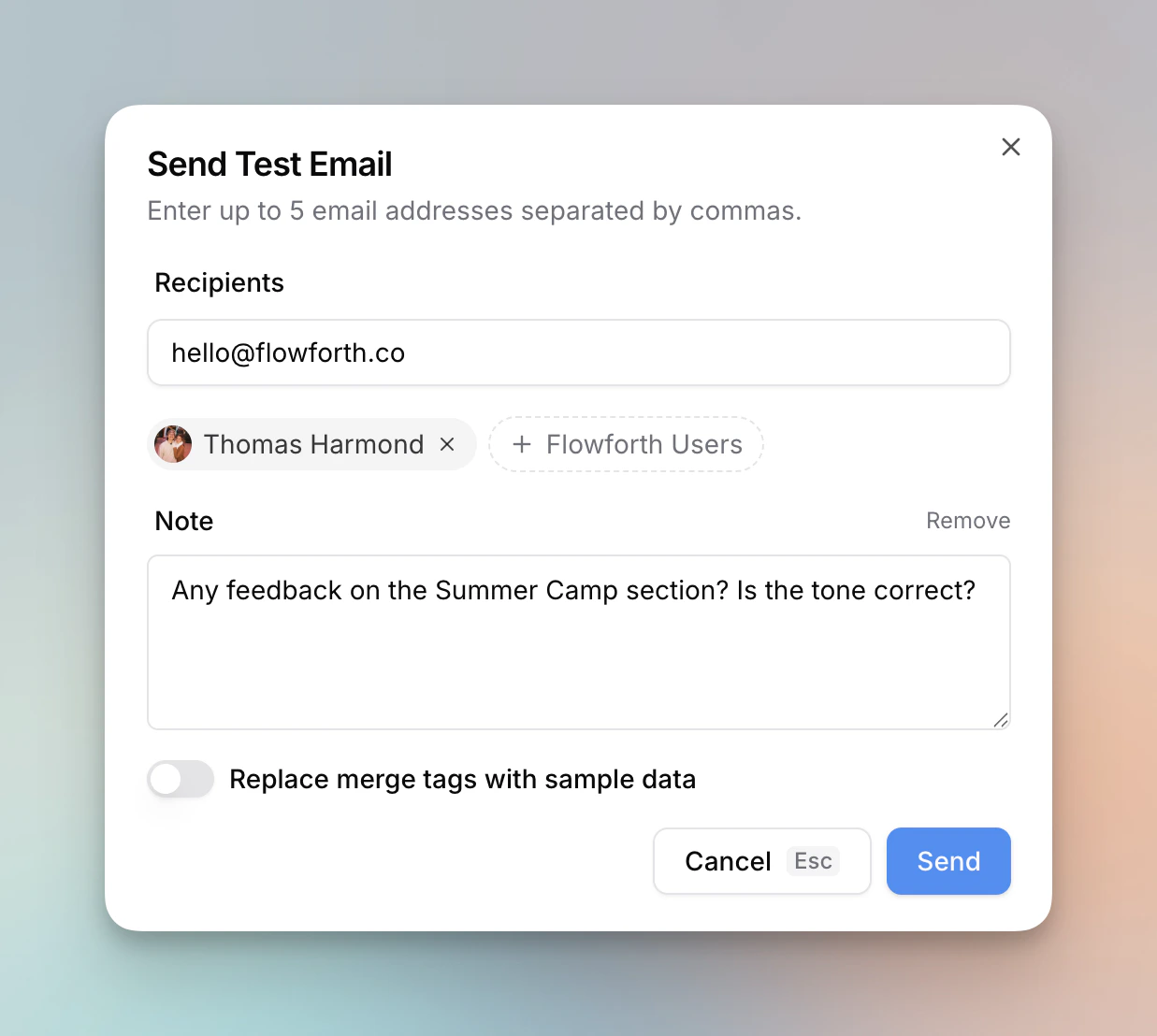
- Click Send Test in the email editor toolbar
- Click Send Test on the email detail page
Adding Recipients
Enter up to 5 email addresses separated by commas in the recipients field. To quickly add team members, click + Flowforth Users to browse and select members from your organization. This is useful when you want feedback from specific people without needing to remember their email addresses.Adding a Note
Click Add a note to include a message at the top of the test email. Notes are helpful for:- Asking reviewers to check a specific section
- Providing context about what changed since the last test
- Requesting feedback on wording or design choices
Merge Tag Preview
If your email contains merge tags, you can toggle Replace merge tags with sample data to see how they will render with real data instead of showing raw tag names like{{first_name}}.
This is useful for checking that your personalization looks natural and that tags are placed correctly.
Good to Know
- Test emails do not count against your monthly send limit
- Test emails are sent immediately, regardless of any scheduled send time
- The email subject will be prefixed with [TEST] so you can easily identify it in your inbox
- Email appearance may vary slightly across email clients (Gmail, Outlook, Apple Mail, etc.), so consider testing with recipients who use different clients