

Flowforth calls this feature a Church Center Notification. In Planning
Center, the same feature is called a Church Center Message — it was
previously named Church Center Announcements. Whatever the label, it’s the
same push notification your people receive in the Church Center app.
A Church Center Notification is a push notification sent to the people on
your email’s list. It’s different from a Publishing
Announcement, which posts an item to your
Church Center announcements feed through Planning Center Publishing. You can use
either, both, or neither on any email.
How It Works
When you enable a Church Center notification on an email:- You send (or schedule) your email as usual
- After the email is sent, Flowforth automatically sends a Church Center notification to everyone on the list the email is sent to.
- The notification appears in Church Center for everyone on the list the email is sent to.
- Recipients can tap the button in the notification to view the full email in their browser
Setting Up a Church Center Notification
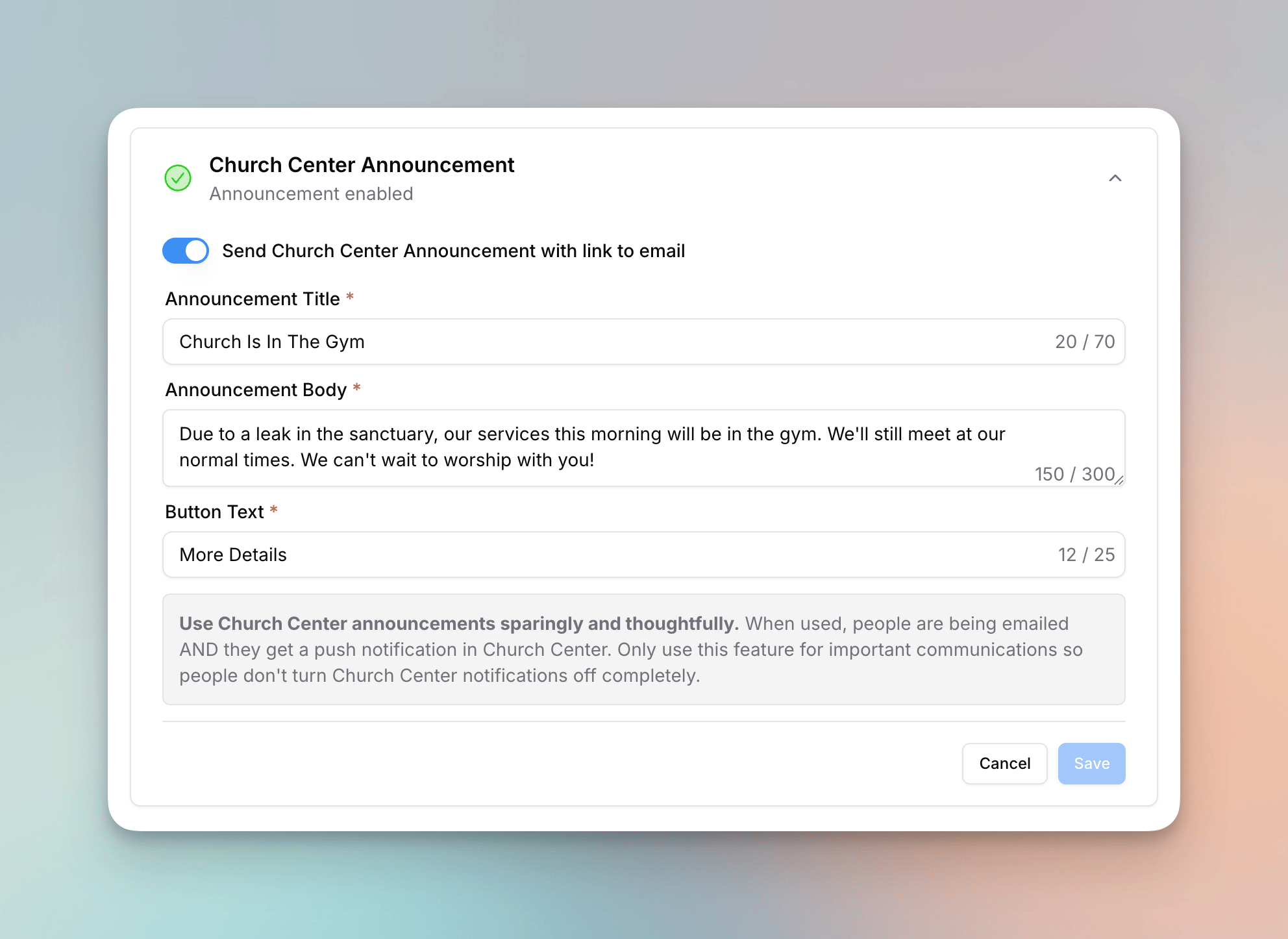
- Go to your email’s detail page (the pre-send checklist)
- Open the Church Center section
- Toggle on Send Church Center Notification
- Fill in the required fields:
- Title — The headline of the notification (up to 70 characters)
- Body — A short description or preview (up to 300 characters)
- Button Text — The label on the call-to-action button (up to 25 characters)
- Click Save
What Recipients See
When the notification is sent, recipients receive a push notification on their device with the title and body you entered.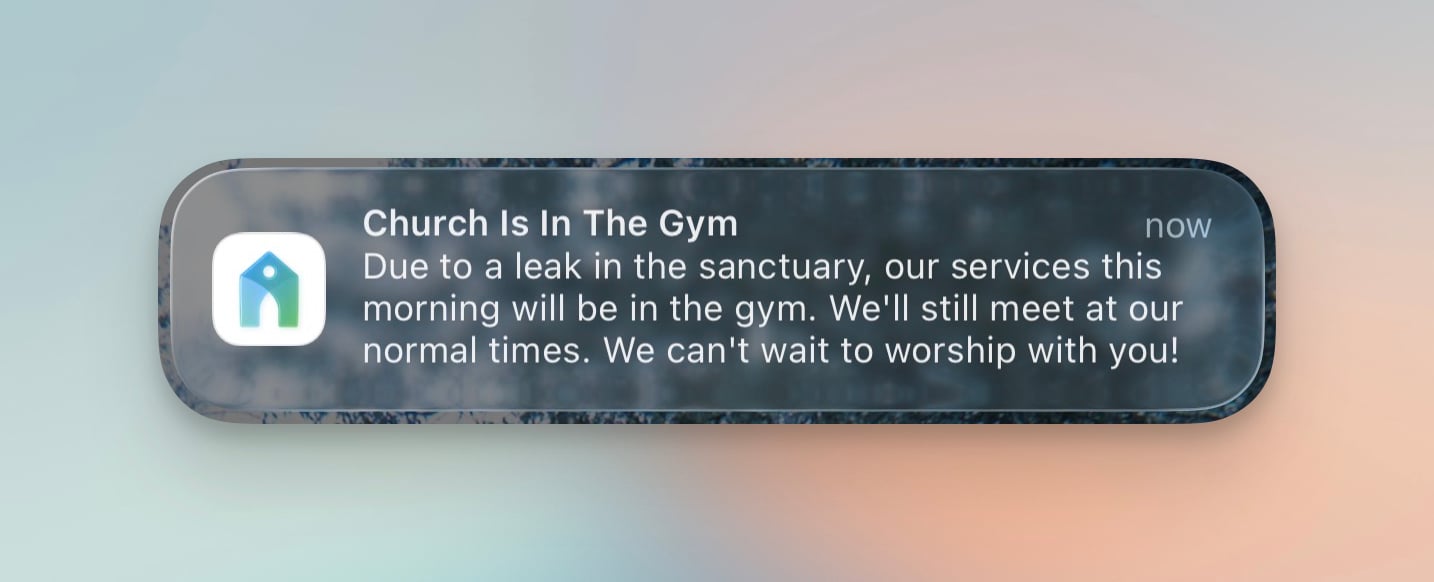
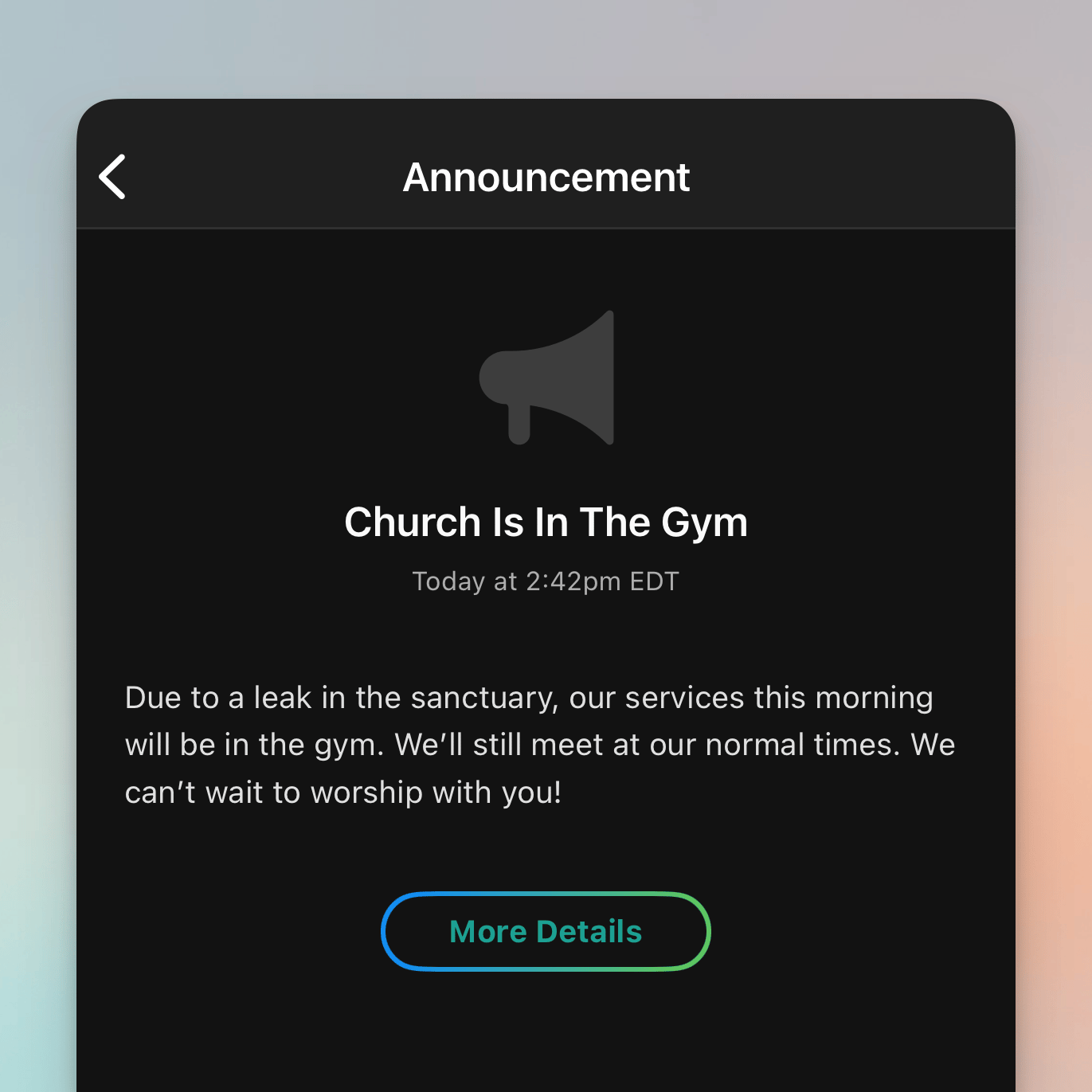
The Public Email Link
When a Church Center notification is sent, Flowforth creates a public web link to the email so recipients can view it in their browser. This link is built using your content domain and the email’s category slug.Church Center notifications require a public email category. If the email
doesn’t have a category yet, pick one right in the Church Center section.
Choosing a public category saves it to the email and turns the notification on
when the email goes to a single list. If your category is not set to public,
you won’t be able to enable a Church Center notification. Update the
category’s public settings first.
Permissions
Church Center notifications are available to owners and members who meet all of the following:- Have the Emails permission with the Manager level (not Designer)
- Have the Church Center notifications permission enabled
Requirements
- Your email must be sending to a single Planning Center list — Church Center notifications are not available when sending to multiple lists or to individual people
- Your organization must have a connected Planning Center account
- You need a content domain or subdomain set up for the public email link
- Your email must have a category assigned so the link can be generated
Replicating Emails with Church Center Notifications
When you replicate an email that has a Church Center notification configured, the notification settings (enabled/disabled, title, body, and button text) are automatically copied to the new email.Common Use Cases
Major Events
Use a Church Center notification for big events like Easter services, VBS registration, or a church-wide gathering to make sure it reaches people on both channels.Time-Sensitive Updates
For urgent messages like cancellations, schedule changes, or severe weather closures, the push notification ensures people see the update quickly.If you have questions about Church Center notifications, reach out to support@flowforth.co.