> ## Documentation Index
> Fetch the complete documentation index at: https://help.flowforth.co/llms.txt
> Use this file to discover all available pages before exploring further.
# Understanding Email Bounces
> Learn about the different types of email bounces and how Flowforth handles them.
A bounce occurs when an email cannot be delivered to a recipient's inbox. Flowforth tracks bounces on every sent email and shows them on the Recipients tab of the email's detail page.
***
## Types of Bounces
### Hard Bounce
A hard bounce means the email **permanently** could not be delivered. Common causes include:
* The email address doesn't exist
* The domain name doesn't exist
* The recipient's mail server has permanently rejected the email
Hard bounces indicate a problem with the address itself. Continuing to send to hard-bounced addresses can damage your sender reputation.
### Soft Bounce
A soft bounce means the email **temporarily** could not be delivered. Common causes include:
* The recipient's mailbox is full
* The recipient's mail server is temporarily unavailable
* The email message is too large
* The recipient's server is rate-limiting incoming mail
Soft bounces may resolve on their own. If the same address soft bounces repeatedly, it may indicate a more persistent issue.
***
## How Flowforth Shows Bounces
On the sent email's detail page:
* The **Bounce Rate** metric card shows the percentage of recipients who bounced
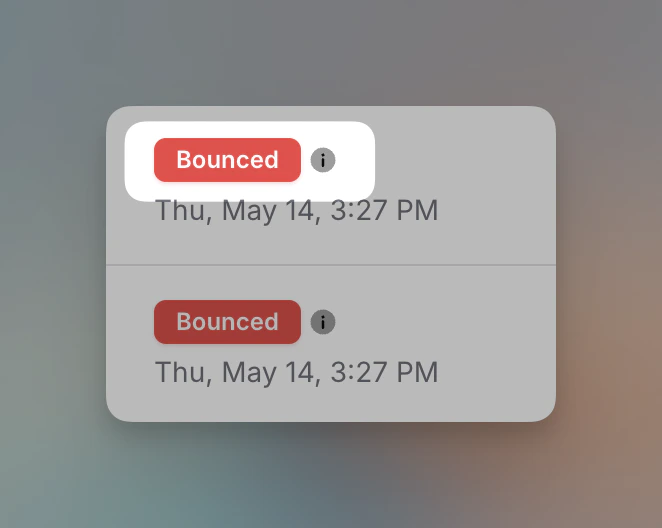
* On the **Recipients tab**, bounced recipients are marked with a **Bounced** status
* Click the **info icon** next to the Bounced badge to see more details about why the email bounced
 The Bounce Details popup shows four pieces of information:
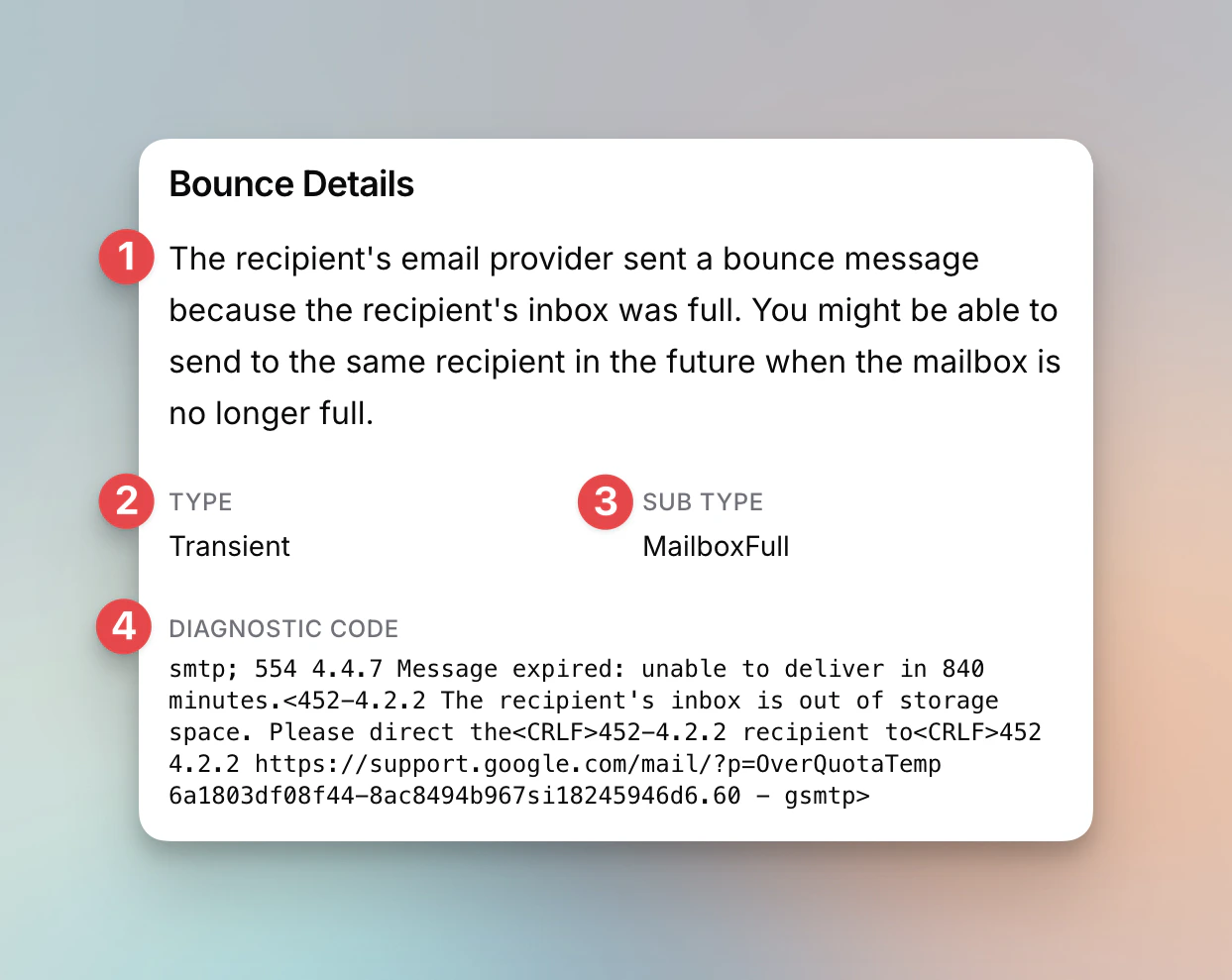 1. **Description** - A plain-language explanation of why the email bounced and whether you can try sending again
2. **Type** - **Permanent** (hard bounce, the address will never work), **Transient** (soft bounce, a temporary issue that may resolve), or occasionally **Undetermined** (the recipient's server didn't give a clear reason)
3. **Sub Type** - The specific reason for the bounce (e.g., MailboxFull, NoEmail, Suppressed)
4. **Diagnostic Code** - The raw SMTP response from the recipient's mail server. This is technical but can be helpful if you need to share details with support.
You can also **filter** the Recipients tab to show only bounced recipients and **export** your recipient list to CSV, which includes bounce status.
***
## Automatic List Cleaning
Flowforth automatically protects your sender reputation by marking problem addresses as [Cleaned](/people/subscription-types#cleaned) and excluding them from future sends:
* A **hard (Permanent) bounce** cleans the address immediately.
* A **soft (Transient or Undetermined) bounce** doesn't clean the address right away — but if the same address bounces **3 times within a year**, it's cleaned.
* An address that reports your messages as **spam 3 or more times** is also cleaned.
If an address was cleaned in error (for example, a temporary server issue that has since been fixed), you can resubscribe the person from their person page. When you do, you'll have the option to **protect the address from being cleaned again**, so a future bounce or spam complaint won't automatically remove it — useful when you're confident the address is valid. See [Managing Subscription Statuses](/people/manage-subscription-status) for details.
***
## What to Do About Bounces
* **Review hard bounces.** These addresses will likely never receive your emails. Check if the address is correct in Planning Center, or remove it if it's invalid.
* **Monitor soft bounces.** A one-time soft bounce is usually fine. If the same address bounces on multiple sends, the mailbox may be abandoned or permanently full.
* **Keep your lists clean.** Regularly sending to bounced addresses hurts your sender reputation and can affect deliverability for your entire organization.
***
## Bounce Rate Guidelines
| Rate | Status | Action |
| ------------ | -------- | ---------------------------------------------------- |
| **\< 0.5%** | Healthy | No action needed |
| **0.5 - 1%** | Elevated | Review bounced addresses and clean your list |
| **> 1%** | High | Investigate immediately and remove invalid addresses |
***
Need help investigating bounces? Contact [support@flowforth.co](mailto:support@flowforth.co).
1. **Description** - A plain-language explanation of why the email bounced and whether you can try sending again
2. **Type** - **Permanent** (hard bounce, the address will never work), **Transient** (soft bounce, a temporary issue that may resolve), or occasionally **Undetermined** (the recipient's server didn't give a clear reason)
3. **Sub Type** - The specific reason for the bounce (e.g., MailboxFull, NoEmail, Suppressed)
4. **Diagnostic Code** - The raw SMTP response from the recipient's mail server. This is technical but can be helpful if you need to share details with support.
You can also **filter** the Recipients tab to show only bounced recipients and **export** your recipient list to CSV, which includes bounce status.
***
## Automatic List Cleaning
Flowforth automatically protects your sender reputation by marking problem addresses as [Cleaned](/people/subscription-types#cleaned) and excluding them from future sends:
* A **hard (Permanent) bounce** cleans the address immediately.
* A **soft (Transient or Undetermined) bounce** doesn't clean the address right away — but if the same address bounces **3 times within a year**, it's cleaned.
* An address that reports your messages as **spam 3 or more times** is also cleaned.
If an address was cleaned in error (for example, a temporary server issue that has since been fixed), you can resubscribe the person from their person page. When you do, you'll have the option to **protect the address from being cleaned again**, so a future bounce or spam complaint won't automatically remove it — useful when you're confident the address is valid. See [Managing Subscription Statuses](/people/manage-subscription-status) for details.
***
## What to Do About Bounces
* **Review hard bounces.** These addresses will likely never receive your emails. Check if the address is correct in Planning Center, or remove it if it's invalid.
* **Monitor soft bounces.** A one-time soft bounce is usually fine. If the same address bounces on multiple sends, the mailbox may be abandoned or permanently full.
* **Keep your lists clean.** Regularly sending to bounced addresses hurts your sender reputation and can affect deliverability for your entire organization.
***
## Bounce Rate Guidelines
| Rate | Status | Action |
| ------------ | -------- | ---------------------------------------------------- |
| **\< 0.5%** | Healthy | No action needed |
| **0.5 - 1%** | Elevated | Review bounced addresses and clean your list |
| **> 1%** | High | Investigate immediately and remove invalid addresses |
***
Need help investigating bounces? Contact [support@flowforth.co](mailto:support@flowforth.co).