> ## Documentation Index
> Fetch the complete documentation index at: https://help.flowforth.co/llms.txt
> Use this file to discover all available pages before exploring further.
# Send Church Center Notification Step
> Send a push notification to the Church Center app as part of an automation.
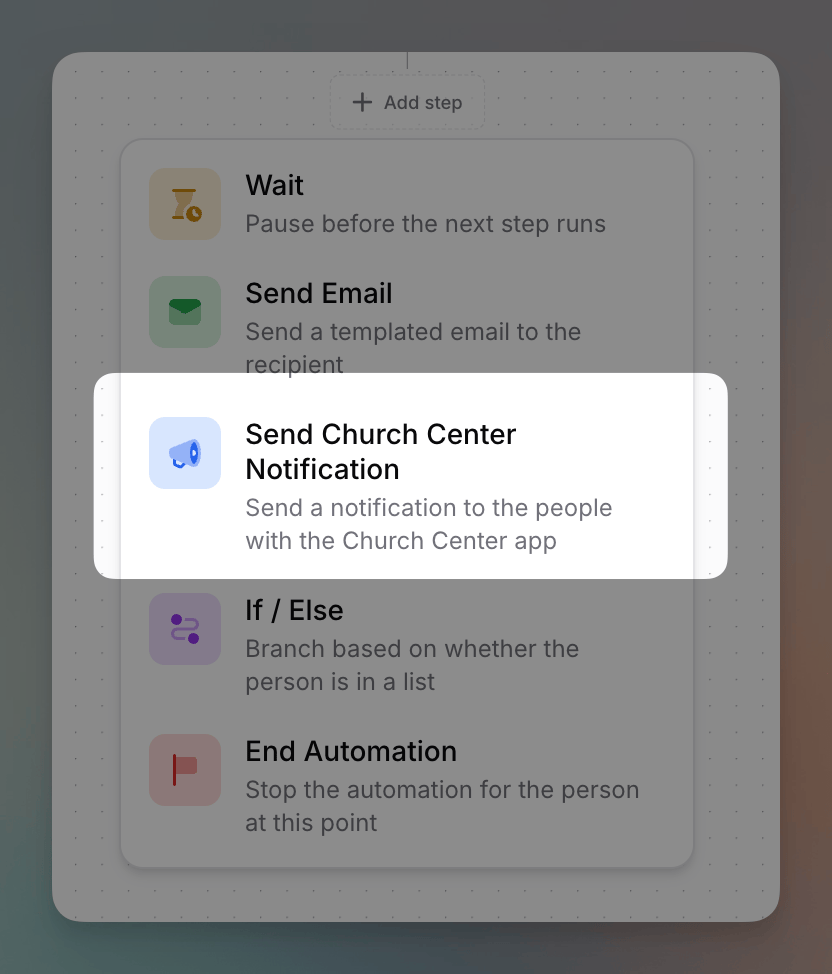 The **Send Church Center Notification** step sends a push notification to people who have the **Church Center app**. It's a great way to reach people who may not check email regularly but are active in Church Center — right inside an automation flow.
In Planning Center, this is called a **Church Center Message** (previously
**Church Center Announcements**). Flowforth calls it a Church Center
Notification — it's the same thing.
***
## Setting It Up
Fill in:
* **Title** — the headline of the notification (up to 100 characters)
* **Body** — what you'd like to notify people about
* **Auto-dismiss after** — how long the notification stays before it's automatically marked as read: **1 day**, **3 days**, **1 week**, **2 weeks**, or **1 month**
* **Link** *(optional)* — a link to open from the notification. When someone views the notification in Church Center, this appears as a **button** they can tap.
* **Link text** *(optional)* — the label shown on the button. This is only available once you've added a link.
Adding this step requires the **Church Center Notifications** permission, or you must be an **organization owner**.
Your organization needs a connected Planning Center account to send Church Center notifications. You can also send a Church Center notification when sending an individual email — see [Church Center Notifications](/emails/church-center-announcements).
The **Send Church Center Notification** step sends a push notification to people who have the **Church Center app**. It's a great way to reach people who may not check email regularly but are active in Church Center — right inside an automation flow.
In Planning Center, this is called a **Church Center Message** (previously
**Church Center Announcements**). Flowforth calls it a Church Center
Notification — it's the same thing.
***
## Setting It Up
Fill in:
* **Title** — the headline of the notification (up to 100 characters)
* **Body** — what you'd like to notify people about
* **Auto-dismiss after** — how long the notification stays before it's automatically marked as read: **1 day**, **3 days**, **1 week**, **2 weeks**, or **1 month**
* **Link** *(optional)* — a link to open from the notification. When someone views the notification in Church Center, this appears as a **button** they can tap.
* **Link text** *(optional)* — the label shown on the button. This is only available once you've added a link.
Adding this step requires the **Church Center Notifications** permission, or you must be an **organization owner**.
Your organization needs a connected Planning Center account to send Church Center notifications. You can also send a Church Center notification when sending an individual email — see [Church Center Notifications](/emails/church-center-announcements).